Connecting Shoptet
How to easily connect your Shoptet store to the Yasan app.
Updated:
Connect your Shoptet store to Yasan and start managing your customer support with AI. This integration gives Yasan access to your product catalog, order data, and customer information.
Recommended Method: Shoptet Addons#
The easiest and fastest way to connect is via the Shoptet Marketplace. The new installation flow starts directly in the Shoptet admin, and you create your Yasan account during the process.
Find the addon
In Shoptet admin, go to Addons → App Store and search for Yasan.
Install the addon
Click Order and install.
Claim the connection
After installation, Shoptet opens Yasan’s setup page. Sign in or create your Yasan account to claim the connection.
Sign in
A login link (magic link) arrives in your email — click Sign in.
Complete setup
Complete the setup: enter your company name and production e-shop URL, agree to data processing, and create your organization.
Wait for preparation
The page “Preparation in progress” appears — Yasan maps the catalog and categories, taking about 30 minutes; you will receive an email when it’s done.
Start free trial
Select a plan and start a 14-day free trial via Stripe checkout (you won’t be charged today).
After completion, you can see the connection in Settings → Integrations → Shoptet. The AI Sales Agent activates automatically — no code needs to be inserted anywhere.
In Settings → Integrations → Shoptet, you will find a Manage in Shoptet link, through which you can pause or reactivate the addon.
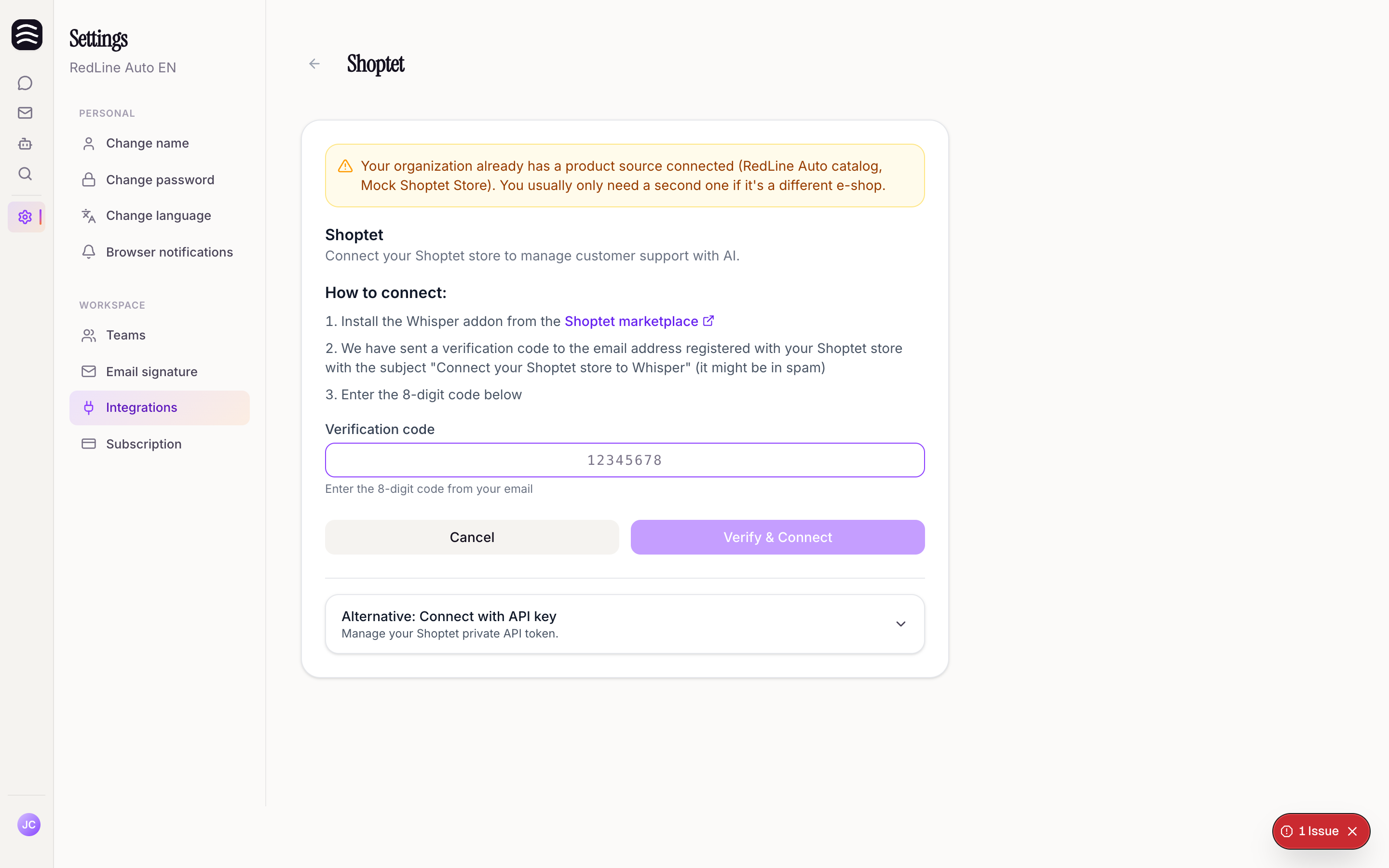
Alternative Method: Private API Token#
If you cannot use the Marketplace addon for any reason, you can connect your store manually.
Select Shoptet
Go to Settings > Integrations, click Connect integration, and select Shoptet.
Choose the alternative method
Select the alternative method to connect using an API key.
Enter API token
Fill in your Shoptet Private API token and your store URL.
Connect
Click to complete the connection.